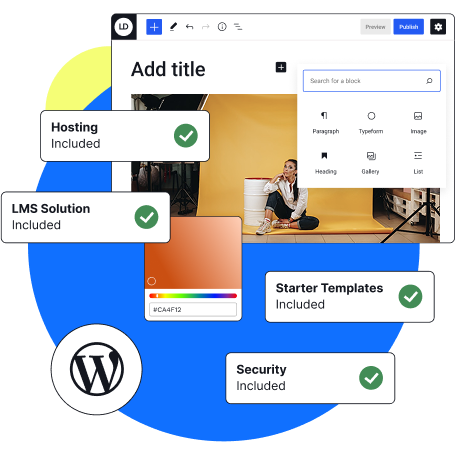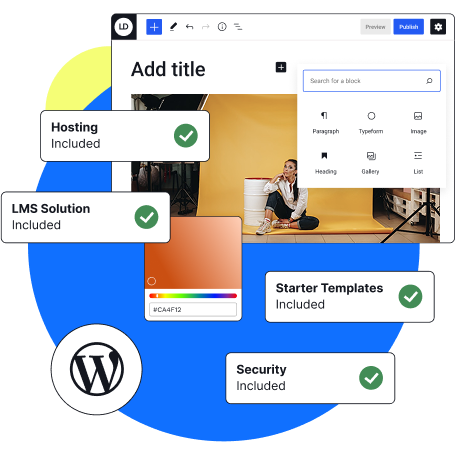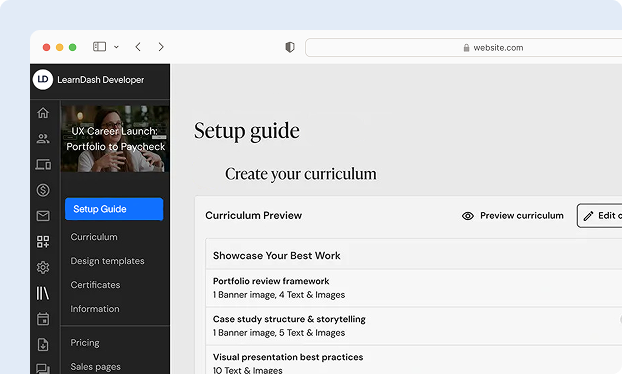
Everything You Get with Our LearnDash Setup

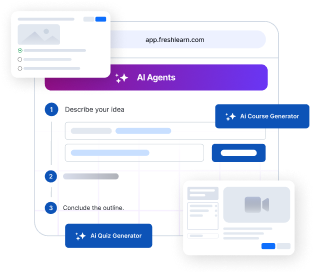
Course Structure Setup

With the help of an easy to use drag and drop builder and Elementor integration, we will put together your LearnDash courses, lessons, and assignments so that students can quickly get through the lessons and check their progress.

Integration with Payment Gateways

We will use secure payment gateways like PayPal, Stripe, or WooCommerce to handle course enrollment and sales easily, so you can focus on your students instead of setups

Membership & Subscription

We’ll configure user groups and membership plugins so students see only the content meant for them, keeping your learning experience organized and personalized.

Bulk Import and Enrollment

We’ll set up tools that let you import users in bulk and automatically enroll them into the right courses, saving time and simplifying the entire enrollment process for teams, schools, or organizations.

Custom User Roles

Provide the proper access to the individuals, whether they are employers, trainers, teachers, or instructors. We will make sure that everyone can manage without any confusion.

Performance Optimization

Your site will be optimized for speed and protected with SSL and backups. You’ll never have to worry about user data loss or performance issues, your platform will stay stable as you grow.

Advanced Reporting & Analytics

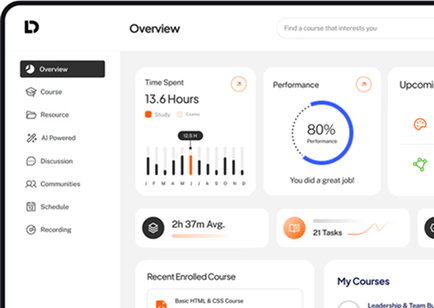
We’ll set up detailed reports that show quiz results, student progress, and course completion. Your course dashboard will make it easy to monitor learners’ performance and improve the user profiles experience.

Post-Launch Support

We will help you with LearnDash settings, course display, and other WordPress dashboard changes after your first course goes live to make sure everything works properly

Why Choose LearnDash for Your Online Courses?

Sell Courses Easily

To sell the memberships, courses, or subscriptions directly from your WordPress Dashboard, connect your website with WooCommerce, PayPal, or Stripe.

Keep the Learners Active

Use the built-in Quiz Builder to watch student progress and motivate them with quizzes, badges, and email notifications.

Full Control Over Content

You decide how your course structure looks. Release lessons gradually or all at once, and customize your course display for different audiences.

Works for Any Size

Whether you are running a small class or managing thousands of learners, LearnDash grows easily and works properly with LearnDash Cloud or your own WordPress websites.

Simple to Manage

From the Onboarding Wizard to Add New course options, LearnDash makes it easy for anyone, even without tech experience, to manage course content and updates.

BuddyBoss

BuddyBoss, CRMs, and email systems can be connected to improve communication and learning experiences and handle processes like tracking course enrollment.

What clients say about us

Let’s Talk Business

  • Top-Rated Plus Upwork Profile
  • Dedicated Project Manager
  • Mobile-Friendly
  • Money-Back + NDA Secured
  • Bespoke Course Design
  • Weekly Progress Meetings
  • Clear Documentation & Handover
  • Unlimited Free Revisions

Let's Discuss Your Project!

    Thank you for reaching out! We’ll get back to you via email soon. For any urgent queries, contact us at learndashdeveloper@gmail.com.

    100% Secure and Confidential.
    Our LearnDash Setup Process

    Get Started Now
    1

    Discovery & Goal Setting

    We start by learning about your goals, your learners, and your course creator’s perspective, helping us shape the best strategy for your new course.

    2

    Planning & Site Structure

    Once we know your goals, we design the course page, lessons, and automation flow. This includes Course Settings, Lesson Settings, and membership plugins for a structure.

    3

    Setup & Integration

    We’ll configure the LearnDash LMS plugin, integrate payment gateways, and ensure smooth access for users with secure login details and user profiles.

    4

    Content Upload & Testing

    We’ll upload your course content, test the quiz builder, and verify that the course dashboard functions perfectly before going live.

    5

    Pre-Launch Review & Training

    Before going live, we will guide you through the WordPress Dashboard, page builder, and LearnDash Settings to make sure you feel relaxed

    6

    Go Live & Monitor

    We will live your course website, check how many people are signed up, and check every feature that works properly on both the website and the mobile app.

    7

    Constant Growth & Support

    After the launch, we will provide insider tips, help you with product updates, and support you as you grow your online learning company

    LearnDash LMS Add-Ons and Custom Features

    LearnDash is powerful, but it becomes unstoppable with the right add-on features. Here are some ways we can improve your LearnDash course setup:

    Advanced Reporting

    See more about progress tracking, learner engagement, and quiz results.

    User Role Management

    Create, Assign, and manage user roles and their permissions. For e.g. Instructors, Managers, Admin, Group etc.

    Gamification

    Use leaderboards, achievements, and badges to engage students.

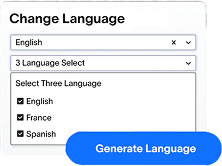
    Multi Language Support

    Provide your courses in more than one language (Both RTL and LTR) and currency.

    LearnDash Attendance

    Dashboard that shows attendance stats, learner engagement, login activity, time spent, progress stats, and missed sessions, etc..

    Email Automation

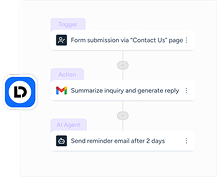
    Automate messages like reminders or completion notices using your email address setup.

    Certificate Builder

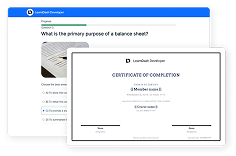
    Celebrate learners’ course completion with branded certificates.

    Elementor Integration

    The top WordPress page builder, Elementor, will be included so you can quickly and easily create and modify your LearnDash pages without any code.

    Open-Source Solutions & Content Management

    As LearnDash developers, we embrace the power of open-source software, allowing us to build scalable, secure, and cost-effective eLearning platforms. LearnDash is a flexible, open-source solution that provides you with complete control over your content management system. We ensure that your site is fully customizable to meet your unique requirements and that it evolves with your changing needs.

    Get In Touch

    Powerful Integrations for Seamless Learning

    Boost your learning with integrations that make studying smarter. Eduvex connects with your favorite tools for seamless collaboration.

    Stripe
    WooCommerce
    Razorpay
    Gravity Forms
    MemberPress
    Zoom
    Mailchimp
    BuddyBoss
    HubSpot
    Paypal
    Zapier
    Make
    GamiPress
    YouTube
    Google Analytics
    Google Tag
    Tin Canny
    Calendly
    Google Meet
    Vimeo
    Calendar
    Authorize.Net
    Elementor
    WPML
    Slack
    Uncanny
    2Checkout

    Frequently Asked Questions

    • Our Approach
    • Post Launch Support
    • Communication
    • Pricing

    01 / Our Approach

    What is your estimated timeline for completing the project?

    The timeline depends on the complexity of the project. A basic LearnDash site can take 4-6 weeks, while more complex setups with custom features or integrations may take 8-12 weeks. After an initial consultation to understand your requirements, We provide a detailed quote outlining the scope, timeline, and costs. This quote includes all services, from development to post-launch support.

    What is your approach to testing and quality assurance?

    We use a multi-step testing approach:

    – Functional testing for each feature.
    – User experience testing to ensure intuitive navigation.
    – Performance testing to ensure the site handles traffic efficiently.
    – Security testing to prevent vulnerabilities.

    How do you ensure the security and performance of the LearnDash site?

    We follow best practices, including:

    – Regular security updates and patches.
    – Use of secure payment gateways.
    – Implementing SSL certificates.
    – Performance optimization through caching, CDN integration, and image optimization.
    – Regular security audits.

    What payment methods are supported by LearnDash, and what’s your experience with integrations?

    LearnDash integrates seamlessly with a variety of payment methods, including:

    – Credit Cards (via Stripe, PayPal, Razorpay, and 2Checkout)
    – PayPal for secure transactions
    – Razorpay for additional flexibility
    – 2Checkout for global payments

    These integrations allow your users to pay for online courses securely and efficiently.

    Additionally, LearnDash works well with WooCommerce and membership plugins like MemberPress, offering:

    – Flexible payment options (credit card, debit card, PayPal, etc.)
    – Enhanced functionality for memberships and e-commerce features

    With our experience in integrating LearnDash with these payment systems, we can customize payment solutions to meet your needs, ensuring a smooth and secure payment process for your learners.

    02 / Post Launch Support

    Do you offer a Monthly Maintenance Plan, and what does it include?

    Yes, We offer a comprehensive Monthly Maintenance Plan designed to keep your site secure, updated, and performing optimally. The plan includes:

    • WordPress Core Updates: Ensure your site runs on the latest version of WordPress.
    • Plugin, LearnDash, Theme, and PHP Updates: Regular updates to keep all components secure and compatible.
    • New Page Creation: Up to one new page per month.
    • Daily Backups: Automatic backups to safeguard your data.
    • Weekly Security Scanning: Routine checks to detect and mitigate potential threats.
    • Domain & Hosting Support: Assistance with any domain or hosting issues.
    • SSL Certificate Monitoring: Ensure continuous SSL coverage for secure connections.
    • Domain Expiration Alerts: Timely notifications for domain renewal.
    • E-commerce Support: Dedicated support for online store functionalities.
    • Live Chat Support: Immediate assistance for urgent updates or issues.
    • Broken Link Monitoring and Fixes: Regular checks and fixes for any broken links.
    • Malware Scanning: Proactive scans to detect and remove any malware.
    • Monthly Reports: Detailed reports outlining updates, performance, and any other relevant metrics.

    Will you provide training for my team on managing the LearnDash website?

    Yes, We offer comprehensive training sessions, both live and pre-recorded, to ensure your team is comfortable managing content, courses, and users. This includes a manual with instructional videos.

    03 / Communication

    How do you manage time zone differences if working with clients from various regions?

    We are flexible with scheduling and can align with your preferred time zone for meetings and updates. Additionally, We are accessible through email and project management tools for asynchronous communication.

    Will there be a dedicated point of contact for project-related queries?

    Yes, you will have a dedicated project manager as your main point of contact. They will handle all your queries, updates, and feedback throughout the project. Communication will be facilitated via email, WhatsApp, or Slack, depending on the platform you prefer. This ensures prompt and organized responses to your project-related needs.

    How often will you provide progress reports or status updates during the project?

    We provide structured progress reports through the following approach:

    • Milestone-Based Updates: The project is divided into milestones, each with a detailed checklist of tasks. We will update the checklist as tasks are completed.
    • Weekly Video Calls: During our weekly Zoom or Google Meet sessions, We’ll review the completed tasks, upcoming milestones, and address any issues or feedback.
    • Real-Time Task Tracking: Clients can track progress in real-time via project management tools like Asana or Trello, where task completion is regularly updated.

    How do you handle communication and project updates?

    We ensure clear and consistent communication throughout the project by:

    • Weekly Video Calls: Regular project updates are provided via Zoom or Google Meet to keep everyone aligned.
    • Project Management Tools: We use tools like Asana or Trello to keep tasks organized and track progress.
    • Preferred Communication Channels: For day-to-day communication, We are available via email, Slack, or WhatsApp for quick responses.

    04 / Pricing

    What payment terms do you offer? Can I pay in installments?

    We offer flexible payment terms, including milestone-based payments. Typically, a deposit is required to start, with remaining payments spread across project milestones.

    Are there any additional costs for plugins, themes, or third-party services?

    Yes, certain premium plugins or themes may have additional costs depending on the project requirements. For example:

    – If the project requires a reality feed or a forum, we may need to purchase BuddyPress or BuddyBoss.
    – If membership or subscriptions functionality is required, we may need to purchase a membership plugin such as WooCommerce Subscriptions, or MemberPress.
    – For advanced SEO features, we might use a premium version of Yoast SEO or similar.
    – For advanced forms, Gravity Forms or WPForms may be required.

    Do you charge an hourly rate, or do you offer project-based pricing?

    We offer both options to suit your needs:

    – Hourly Rate: $25 per hour for ongoing support or smaller tasks.
    – Project-Based Pricing: Fixed pricing for complete development projects, ensuring transparency and allowing you to select the option that best fits your budget.

    How much will it cost to develop my LearnDash site?

    Costs vary based on project complexity. A basic LearnDash site starts at around $3,000, with more complex projects ranging up to $10,000 or more. We provide a detailed estimate after understanding your specific needs.

    Is there a free trial of LearnDash Plugin?

    Currently, LearnDash does not offer a free trial, but they do provide a 30-day money-back guarantee if you are not satisfied.

    Does LearnDash take any cut of my course revenue?

    No, LearnDash does not take any cut from your course revenue. All payments go directly to your chosen payment gateway.

    Is LearnDash plugin pricing annual, or is it a one-time fee? Can I cancel my license?

    The LearnDash plugin pricing is $199/year per site, and some of the addons might have annual licensing fees. However, certain addons offer lifetime licenses. You can cancel your LearnDash license at any time, but doing so may result in the loss of updates and support.

    What hosting works best with LearnDash, and what would it cost?

    We recommend the following managed WordPress hosting services for optimal performance with LearnDash:

    SiteGround: $4.99/month (excluding VAT)
    Kinsta: $35/month
    WP Engine: $59/month

    These plans can be upgraded based on the number of visitors, bandwidth, and storage needs as your site grows. The cost may increase accordingly to accommodate higher traffic and additional resources.

    Book a Free Consultation Today!

    Start Building Your LearnDash Site Today

    Our LearnDash LMS setup services are made to make things simple, whether you’re starting from new or updating your current WordPress site.

    We will help you at every stage, from initial setup, payment gateways, and design to course dashboard, analytics, and add-ons.

    Together, we can turn your ideas into a successful learning platform that supports your learners and represents your brand.

    Get In Touch